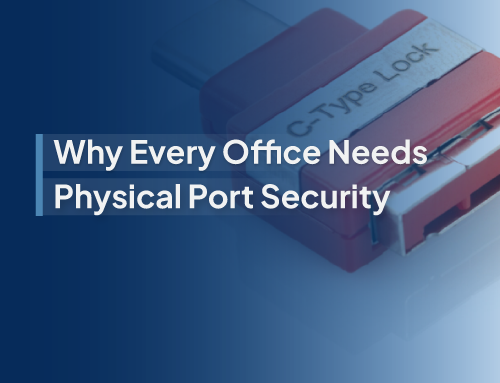
Every unused RJ45 wall jack or open switch port in an office, school, or healthcare facility is more than just a piece of hardware; it is a possible entry point. Cybersecurity often emphasizes software, firewalls, and encryption, yet the reality is that physical access continues to be one of the easiest methods for intruders to compromise a network. The tactic known as �plug and pwn� allows someone to connect a rogue device into an unprotected network port, completely bypassing digital defenses. This is why network locks play such an important role, delivering a zero-trust layer of protection at the physical level.
Why Blocking Idle Jacks and Ports Matters
Open ports are often overlooked as a security risk. They are much like leaving doors unlocked in a heavily guarded building. Anyone who gains access to your premises, whether they are staff members, contractors, or even visitors, could quietly connect a device. Once that happens, the chances of data theft, malware installation, or movement across your network become very real.
By using network locks, organizations immediately eliminate this threat. These locks physically block idle RJ45 wall jacks and switch ports, preventing any unauthorized device from being connected. It�s a simple, proactive step that reinforces a zero-trust security model, ensuring that even at the hardware level, nothing is assumed safe until verified.
How Network Locks Strengthen Zero-Trust Security
Zero-trust frameworks are designed around the idea that no access should be trusted by default. While most implementations focus on digital authentication, network locks bring that philosophy into the physical world.
- Stops rogue plug-ins before they occur � Unauthorized devices can�t connect, period.
- Simplifies enforcement of IT policies � No need to constantly monitor idle ports when they�re physically secured.
- Reduces insider threats � Even well-meaning employees can�t connect personal devices that bypass IT controls.
- Strengthens compliance � Industries like healthcare and finance must demonstrate strict security controls, and network locks help meet those standards.
One-Page Deployment Plan for Offices, Schools, and Healthcare
Deploying network locks doesn�t require a major infrastructure overhaul. With a clear, step-by-step approach, organizations can secure their environment in just a short rollout:
- Audit the Environment
- Prioritize High-Risk Areas
- Install Network Locks
- Integrate Into Zero-Trust Policy
- Monitor and Review Regularly
Begin by identifying all RJ45 wall jacks and switch ports across the facility. Highlight those that are active, critical, and those that remain unused.
Give priority to areas that receive frequent outside access, such as lobbies, classrooms, waiting rooms, and shared office spaces. Unused ports in these locations present the highest level of risk.
Apply physical locks to all unused jacks and ports. These are designed for fast, tool-free installation and can be removed by authorized personnel with matching keys.
Update the organization�s security documentation to reflect the new physical security control. Reinforce to staff that only approved, locked-down ports are accessible.
As staff and equipment needs change, review port usage every quarter. Remove locks only when IT authorizes activation of a port, ensuring control remains consistent.
The Benefits of Adding This Extra Layer
While network locks may seem like a small step, the impact is significant. Organizations gain:
- Peace of mind that no one can slip a rogue device into the system.
- Cost savings by preventing the fallout of a data breach.
- Stronger resilience against both external intrusions and internal mistakes.
- Scalability since locks can be deployed gradually across any size facility.
Ultimately, securing the physical layer with network locks transforms idle jacks from vulnerabilities into controlled, protected points in your infrastructure.
Turning Simple Prevention Into Long-Term Protection
The most effective security strategies are often the simplest. Firewalls and encryption play a vital role, but if physical access points are left unsecured, they can still be exploited. By locking down unused RJ45 wall jacks and switch ports, your organization adds an essential layer of protection toward achieving true zero trust security, ensuring that no potential threat, whether physical or digital, goes unchecked.
At Smart Keeper, we help organizations protect what matters most by offering innovative solutions like network locks that bring zero-trust security to the physical layer. Our products are designed to make cybersecurity practical, scalable, and effective across industries, including healthcare, education, and enterprise.
Protect your network from the inside out with Smart Keeper, making security simple and built for total peace of mind.