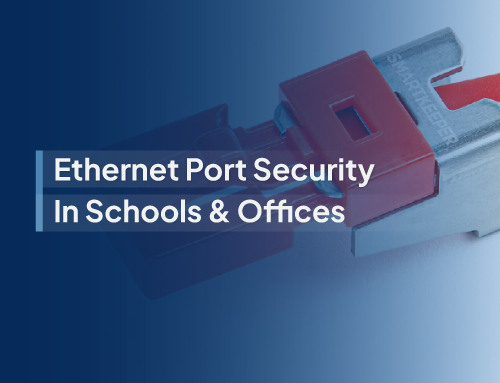
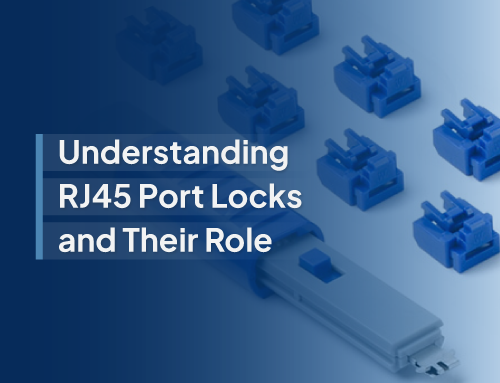
In today�s digital-first environment, the importance of physical security for data ports is often underestimated, even though it is essential for safeguarding sensitive information. Whether it involves USB drives or network ports, unsecured access points can leave organizations exposed to data breaches and unauthorized entry. Port lock keys provide a dependable solution to secure these ports while ensuring everyday operations remain uninterrupted. The real challenge enterprises face is deciding whether to implement a keyed-alike system or a keyed-different system for their port locks.
This choice is more than just a matter of convenience. It lays the groundwork for a company-wide standard in port security. Let�s take a closer look at the differences step by step.
Understanding the Difference: Keyed-Alike vs. Keyed-Different
- Keyed-Alike Systems
- Keyed-Different Systems
With a keyed-alike setup, every port lock can be opened using the same key. This system focuses on simplicity, as managers, IT staff, and security teams only need to carry one key to unlock several locks across the workplace. It saves time, minimizes the hassle of managing multiple keys, and allows quick access whenever devices require maintenance.
On the other hand, a keyed-different system assigns a unique key to each port lock. While this approach requires more careful management, it dramatically reduces the risk of unauthorized access spreading across multiple points. If one key is lost or compromised, only a single lock is at risk.
The right choice depends on your company�s structure, security priorities, and access requirements.
Building a Security Standard Around Port Lock Keys
Deciding between keyed-alike and keyed-different is not only about locks; it is about building a consistent security policy. A structured approach helps IT teams stay organized, avoids confusion, and makes compliance audits far easier.
Here are practical ways to design your port lock strategy:
- Define Security Zones
- Color-Coding for Departments or Floors
- Establishing an Audit Trail
Divide your workplace into zones based on sensitivity. For example, you might standardize keyed-different locks for areas dealing with sensitive client or financial data, while less critical zones can rely on keyed-alike systems for efficiency.
Managing keys across an entire organization can quickly become a challenge. By using color-coded keys for different floors, teams, or departments, you make identification easier and reduce the chances of lost keys. For example, IT can immediately recognize that a blue key belongs to the finance department while a red key is for HR, allowing workflows to stay organized without confusion.
Tracking access is essential. By pairing your port locks with a key issuance log, companies can monitor who holds which keys, when they were assigned, and where they�re authorized to be used. This level of accountability strengthens compliance and makes investigations far easier if a breach occurs.
Matching Your Decision to Hardware
Once you�ve chosen between keyed-alike and keyed-different, the next step is selecting port locks and cable locks that support your strategy.
- Port Locks: Designed for USB, HDMI, and network ports, these small but powerful locks stop unauthorized devices from being connected.
- Cable Locks: Perfect for securing desktop equipment, servers, and laptops in shared workspaces or data centers.
When mapping your decision, look for product lines that offer both keyed-alike and keyed-different options. This flexibility allows enterprises to scale their systems across different departments without sacrificing consistency.
Scaling Security Without the Headaches
The beauty of standardization is that once you have a system in place, it�s easy to expand. A company might start by protecting ports in their headquarters with keyed-different systems, then roll out keyed-alike locks for branch offices where teams need faster access.
The result? Unified security with room to grow. Enterprises get the balance of strict control where it�s needed most and streamlined efficiency where convenience is key.
From Ports to Protection: Building Cyber Resilience
Digital threats may dominate headlines, but physical vulnerabilities are often the weak link. A single unprotected USB port could be all it takes for malicious software or data theft. Port lock keys may seem like small details, but together they build a powerful barrier that strengthens your broader cybersecurity posture.
By choosing wisely between keyed-alike and keyed-different, companies create a foundation for consistent, scalable, and manageable protection, securing one lock at a time.
Scalable Security Solutions for Every Access Point
When it comes to securing access points, Smart Keeper offers more than simple port locks. We deliver a complete ecosystem of security solutions designed for scalability, efficiency, and control. Our product range includes port lock keys, port locks, and cable locks that can be standardized across your enterprise with both keyed-alike and keyed-different options.
Protect every port with confidence by choosing Smart Keeper and secure your business the smart way today.