Physical Port Locks vs Software SecuritySoftware security is essential, but it doesn’t stop someone from plugging in a device.
Firewalls, endpoint tools, and access policies are effective once a system is up and running. Physical port locks work before anything happens at all.
That difference matters more than most organizations realize.
In this blog, we break down physical port locks vs software security and explain why choosing one over the other can leave critical gaps.
What Are Physical Port Locks?
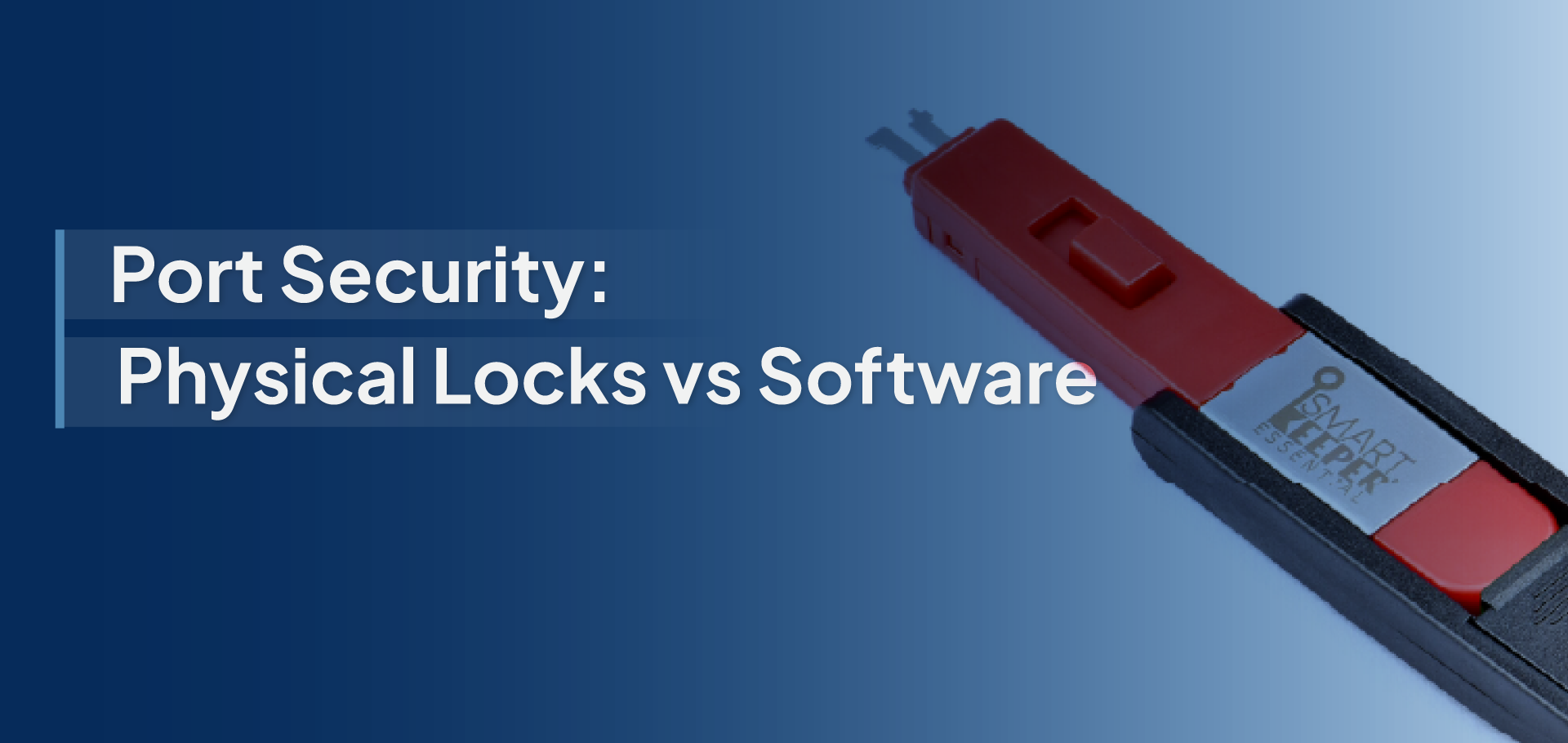
Physical port locks are hardware security devices designed to block unused or high-risk ports on computers and IT equipment. They physically prevent unauthorized devices from being plugged into ports such as USB, HDMI, LAN (Ethernet), SD card slots, and other external interfaces.
In simple terms, if a port is locked, it cannot be used; period. There’s no software prompt to bypass, no setting to misconfigure, and no alert that appears after the fact. Access is stopped at the source.
How Physical Port Locks Work?
Physical port locks fit directly into a port and mechanically seal it in place. Once inserted, the port is unusable until the lock is removed using the correct key or specialized unlocking tool.
- Mechanical blocking: The lock occupies the port, preventing any cable, drive, or peripheral from being connected.
- Key-based or tool-based access: Only authorized IT or security teams with the correct key can unlock the port, ensuring controlled access.
Because this protection is purely physical, it works independently of operating systems, software settings, or network connectivity.
Understanding Software-Based Security-
What Is Software Security at the Port Level?
Software-based port security refers to digital controls that manage and monitor how device ports are used. Instead of physically blocking access, it relies on endpoint protection tools, device control software, and security policies to regulate what can be connected to a system.
These solutions are commonly part of broader endpoint security or device management platforms and are widely used across corporate IT environments.
How Software-Based Port Security Works?
Software security functions through rules and permissions configured by IT administrators. These rules define which devices are allowed, blocked, or restricted when connected to system ports.
- Policy enforcement: Admins define what types of devices (USB storage, peripherals, network adapters) can be used.
- Permissions & controls: Access is granted or denied based on user roles, device type, or location.
- Logging & alerts: Port activity is recorded, and alerts are triggered when policies are violated.
- Centralized dashboards: IT teams manage policies, monitor activity, and update configurations from a single admin console.
This approach emphasizes governance, visibility, and compliance rather than physical restriction.
Key Advantages of Software-Based Security
- Centralized management: Policies can be applied and updated across thousands of devices from one dashboard.
- Activity monitoring & reporting: Detailed logs support audits, compliance, and incident investigations.
- Scales well for large teams: Ideal for distributed or rapidly growing organizations where manual controls are impractical.
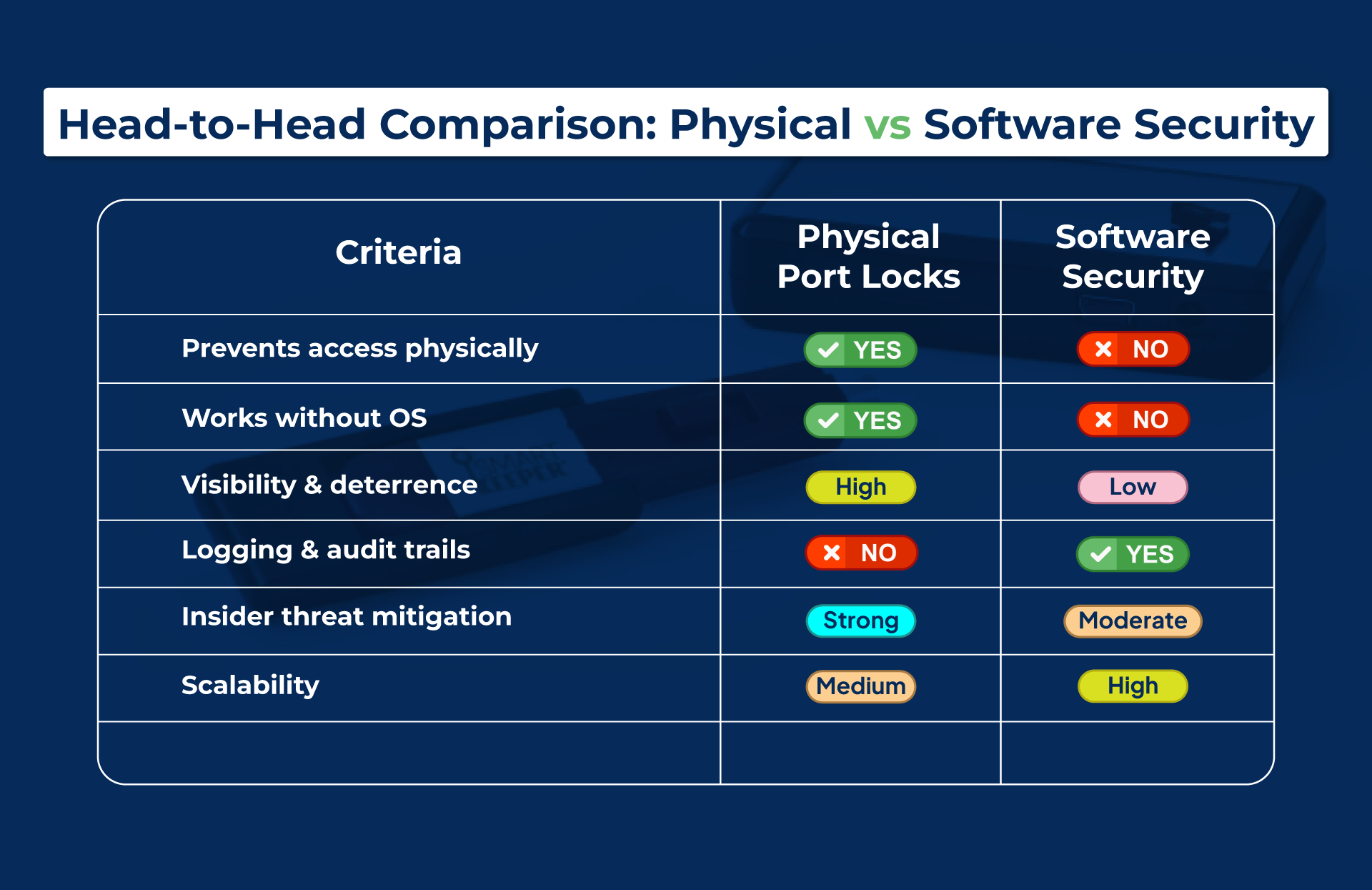
Physical Port Locks vs Software Security
Common Security Scenarios: What Works Better?
Not every workplace faces the same security risks. The effectiveness of physical port locks versus software-based security depends largely on how systems are used, who accesses them, and what’s at stake. Here’s how different environments stack up.
Shared Workstations & Public Systems-
Why are physical locks critical?
In environments where multiple users access the same device, such as reception desks, training labs, libraries, kiosks, or shop-floor systems, control over user behavior is limited. Physical port locks are essential here because:
- Users often don’t have individual logins or security training
- Devices may be left unattended or unlocked
- Software controls can be bypassed simply by rebooting or using unmanaged devices
A locked port removes the risk entirely. If a device can’t be plugged in, data can’t be copied, and malware can’t be introduced.
Corporate Offices & Hybrid Work-
Where software policies help, but aren’t enough.
In structured corporate environments, software security plays a valuable role:
- IT teams can enforce device usage policies
- Logs and alerts help track suspicious activity
- Centralized dashboards simplify management across locations
However, hybrid work introduces inconsistencies:
- Employees work from home, shared spaces, or co-working offices
- Devices are physically accessible outside IT-controlled environments
- Insider threats, intentional or accidental, remain a concern
Here, software policies reduce risk, but physical port locks provide certainty, especially for unused or sensitive ports.
Healthcare, BFSI & Government Environments-
Compliance-driven need for layered controls-
Highly regulated industries operate under strict data protection and audit requirements. In these environments:
- Access must be controlled, logged, and provable
- Breaches can result in regulatory penalties, not just IT incidents
- Systems are often used by rotating staff or contractors
A layered approach works best; physical port locks prevent unauthorized access, while software security provides logging, visibility, and audit trails. One without the other leaves compliance gaps.
High-Turnover or Low-IT-Maturity Teams-
Why simplicity beats complexity-
In environments with frequent staff changes or limited IT oversight:
- Training consistency is hard to maintain
- Security policies are often misunderstood or ignored
- Complex software tools go underutilized
Physical port locks excel here because they:
- Require no training or configuration
- Don’t rely on users “doing the right thing.”
- Provide consistent protection regardless of who is using the system
Sometimes, the most effective security is the one that can’t be bypassed or forgotten.
The more unpredictable the environment, the more valuable physical controls become. Software security adds governance and visibility, but physical port locks eliminate risk at the point of access.
Best Practice: A Layered Security Approach-
When it comes to endpoint protection, the strongest security strategy is not choosing physical or software controls; it’s using both together. A layered security approach closes gaps that single-layer solutions inevitably leave behind.
Physical Port Locks: Physical port locks act as preventive security. By mechanically blocking unused or high-risk ports, they stop unauthorized access before it can occur.
- No device can be plugged in without approval
- No malware can be introduced through locked ports
- No data can be copied from ports that don’t physically exist
This makes physical port locks the ideal baseline control, especially for shared systems, public-facing devices, and compliance-sensitive environments.
Software Controls: Software-based security complements physical controls by providing management and oversight rather than physical restriction.
- Enforces usage policies for approved devices
- Logs activity for audits and investigations
- Triggers alerts for policy violations or anomalies
- Enables centralized control across teams and locations
While software can’t always stop access instantly, it ensures accountability, traceability, and compliance readiness.
Prevention + Detection + Compliance: Used together, physical and software security create a complete protection model:
- Prevention: Physical locks eliminate unauthorized access at the port level
- Detection: Software tools monitor, log, and flag suspicious behavior
- Compliance: Combined controls support audit requirements and regulatory standards
This layered approach reduces reliance on user behavior, minimizes configuration risk, and delivers consistent protection across environments.
Physical security blocks the door.
Software security watches what happens inside.
That combination is what truly secures modern endpoints.
Most organizations invest heavily in software security, yet overlook the simplest truth of endpoint protection: if a port is open, data can leave.
Physical port locks and software security are not competing solutions. They solve different problems at different stages of risk. Physical controls stop unauthorized access before it happens, while software security provides the policies, visibility, and audit trail organizations need to stay compliant and in control. The most resilient security strategies don’t rely on one layer alone. They combine physical prevention with digital oversight, eliminating blind spots at the point where breaches often begin.
If your security policies say ports should be restricted, make that restriction physical and enforceable. SmartKeeper® port locks provide instant, visible protection for USB, HDMI, LAN, and other high-risk ports, helping organizations prevent data leaks, reduce insider threats, and strengthen compliance at the endpoint level.
Turn Policy Into Physical Protection with SmartKeeper!