Port Locks
Shared computers are like office pantries.
Everyone uses them.
No one admits what they plugged in.
Shared computers have a strange talent for attracting mystery devices; unknown pen drives, borrowed cables, and “I just needed to print one file” moments. And while firewalls, passwords, and policies work hard in the background, one open port can undo all of it in seconds.
That’s exactly how data theft slips in quietly; not through hackers in hoodies, but through everyday access no one thought twice about.
What Are Shared Computers & Why Are They High-Risk?
Shared computers are systems used by multiple people, such as shared PCs, laptops, kiosks, workstations, and POS terminals, without a single dedicated user. They are common in offices and coworking spaces, healthcare facilities and labs, schools and universities, and retail environments.
The risk comes from shared access. When many users interact with the same system, accountability drops. Employees, interns, or visitors may connect USB drives, phones, or unknown devices, often unintentionally, creating easy paths for data theft, malware entry, or accidental data leaks.
Because physical access is shared, these systems are especially vulnerable to insider and accidental threats, making them a frequent weak spot in otherwise secure IT environments.
What Are Port Locks?
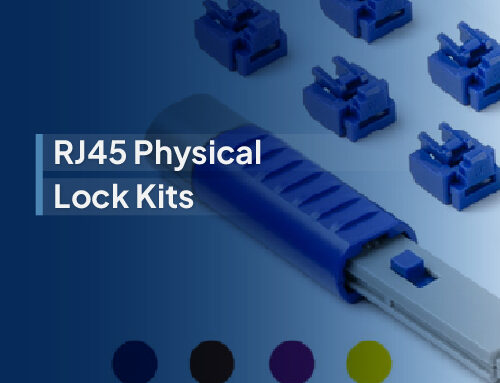
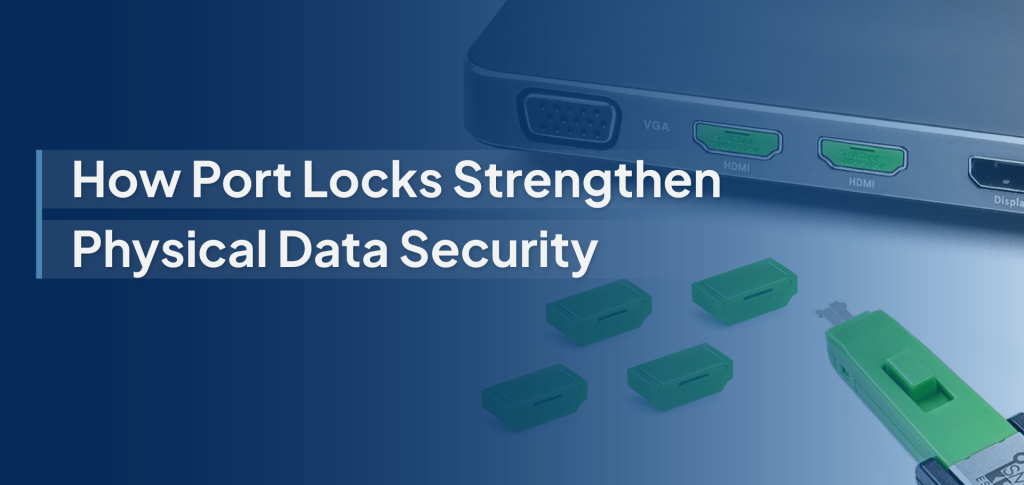
Port locks are small physical security devices designed to block unused or unauthorized ports on computers and IT equipment. Once installed, they prevent anyone from plugging in USB drives, cables, or external devices, unless they have the authorized key or removal tool. Port locks can be used to secure multiple types of ports, including:
- USB-A and USB-C ports are commonly used for storage devices and charging.
- HDMI and Ethernet ports, which can be exploited for data access or unauthorized network connections
- Audio and other peripheral ports are often overlooked, but still vulnerable entry points
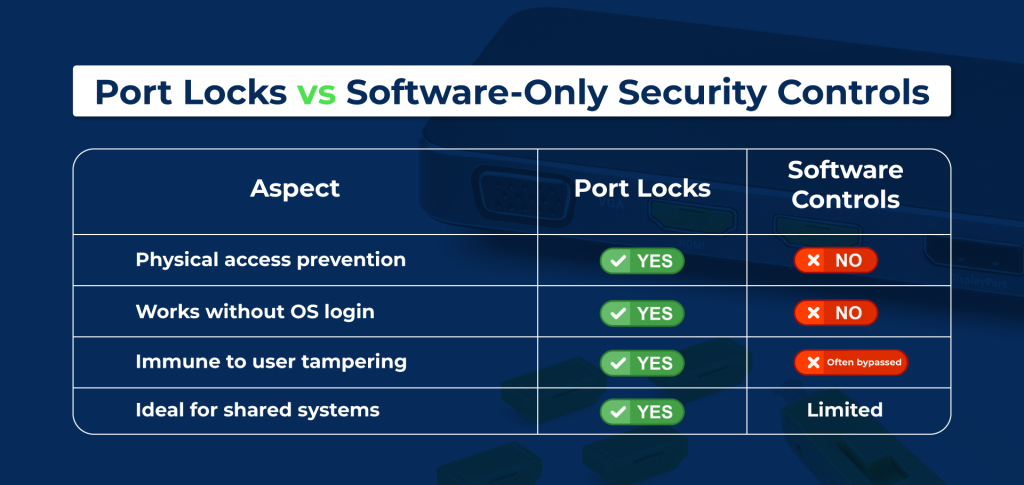
Unlike software-based port blocking, which relies on operating system controls and user permissions, physical port locking stops access at the hardware level. This means ports remain secured even before login, during system boot, or if software policies are bypassed, making port locks a reliable, tamper-resistant layer of protection for shared systems.
How Do Port Locks Prevent Data Theft?
Port locks work by removing the easiest path that attackers and careless users rely on: physical access to open ports. Here’s how they stop data theft in real-world environments:
- Physically Blocking Unauthorized Devices: Port locks physically seal USB and other ports, making it impossible to insert flash drives, adapters, or rogue hardware. This eliminates “plug-and-steal” scenarios where data can be copied or devices compromised in seconds, without triggering any software alerts.
- Restricting Insider Threats: By blocking ports at the hardware level, port locks prevent both intentional misuse and accidental data copying. They are especially effective in environments with contract staff, interns, vendors, or shared users, where access is necessary, but data exposure must be tightly controlled.
- Preventing Malware & Ransomware Entry: Many malware and ransomware attacks still enter systems through infected USB drives or peripherals. Port locks stop these threats before they reach the operating system, reducing the attack surface beyond firewalls, antivirus, and endpoint tools.
- Maintaining Control in High-Turnover Environments: In spaces like labs, exam centers, kiosks, and shift-based workplaces, users change constantly, but security shouldn’t. Confirming permissions for every user isn’t practical. One port lock enforces consistent protection, regardless of who is using the system at any given time.
Port Locks
Where Port Locks Are Most Effective (Use Cases)
Port locks deliver the most value in environments where multiple users share the same systems and data security is non-negotiable. Common high-impact use cases include:
- Corporate shared workstations: Prevent employees, contractors, and visitors from connecting unauthorized devices and copying sensitive business data.
- Healthcare terminals (HIPAA environments): Protect patient records on shared clinical systems by blocking USB-based data extraction and malware risks.
- Educational labs & libraries: Stop students and public users from introducing malware or copying restricted data on shared computers.
- Manufacturing & industrial PCs: Secure operational systems from unauthorized peripherals that could disrupt production or expose proprietary processes.
- Retail POS systems: Prevent tampering, data skimming, and malware injection through exposed ports on checkout terminals and kiosks.
- Government & compliance-driven setups: Enforce strict physical access controls and support regulatory requirements where shared access and audits are common.
Across all these environments, port locks provide a simple, consistent layer of physical security where software controls alone are not enough.
How to Choose the Right Port Lock Solution?
Not all port locks are the same. Choosing the right solution depends on how your systems are used, who accesses them, and how widely the locks will be deployed. Key factors to consider include:
- Compatibility with device types: Ensure the port locks support the exact ports you need to secure, such as USB-A, USB-C, HDMI, or Ethernet- across desktops, laptops, kiosks, and specialized equipment.
- Keyed vs. centralized key systems: Individual keyed locks work well for small setups, while centralized or master-key systems are better for enterprises that need controlled access across multiple teams or locations.
- Ease of installation and removal: Look for locks that install quickly without tools or device modifications, allowing IT teams to secure systems efficiently and remove locks only when authorized.
- Scalability for large IT deployments: For organizations managing hundreds or thousands of devices, the solution should support bulk deployment, consistent key management, and easy inventory tracking.
- Durability and tamper resistance: Enterprise-grade port locks should be built to withstand frequent use, attempted tampering, and demanding environments without breaking or loosening over time.
The right port lock solution balances security, usability, and operational efficiency, ensuring strong protection without slowing down daily IT operations.
In environments where computers are shared, data theft doesn’t need sophistication; it needs opportunity. An open port, an unattended system, or a moment of convenience is often enough. While software security remains essential, it cannot fully protect against risks that begin with physical access.
Port locks close this gap by delivering simple, reliable, and consistent protection at the hardware level. They prevent unauthorized devices, reduce insider and accidental threats, and help organizations maintain control, no matter how often users change.
For IT teams managing shared systems, port locks aren’t an extra layer of security; they’re a practical necessity. When users rotate, but data stays critical, physical access control is what keeps security intact.