Cable Lock DevicesModern offices run on cables.
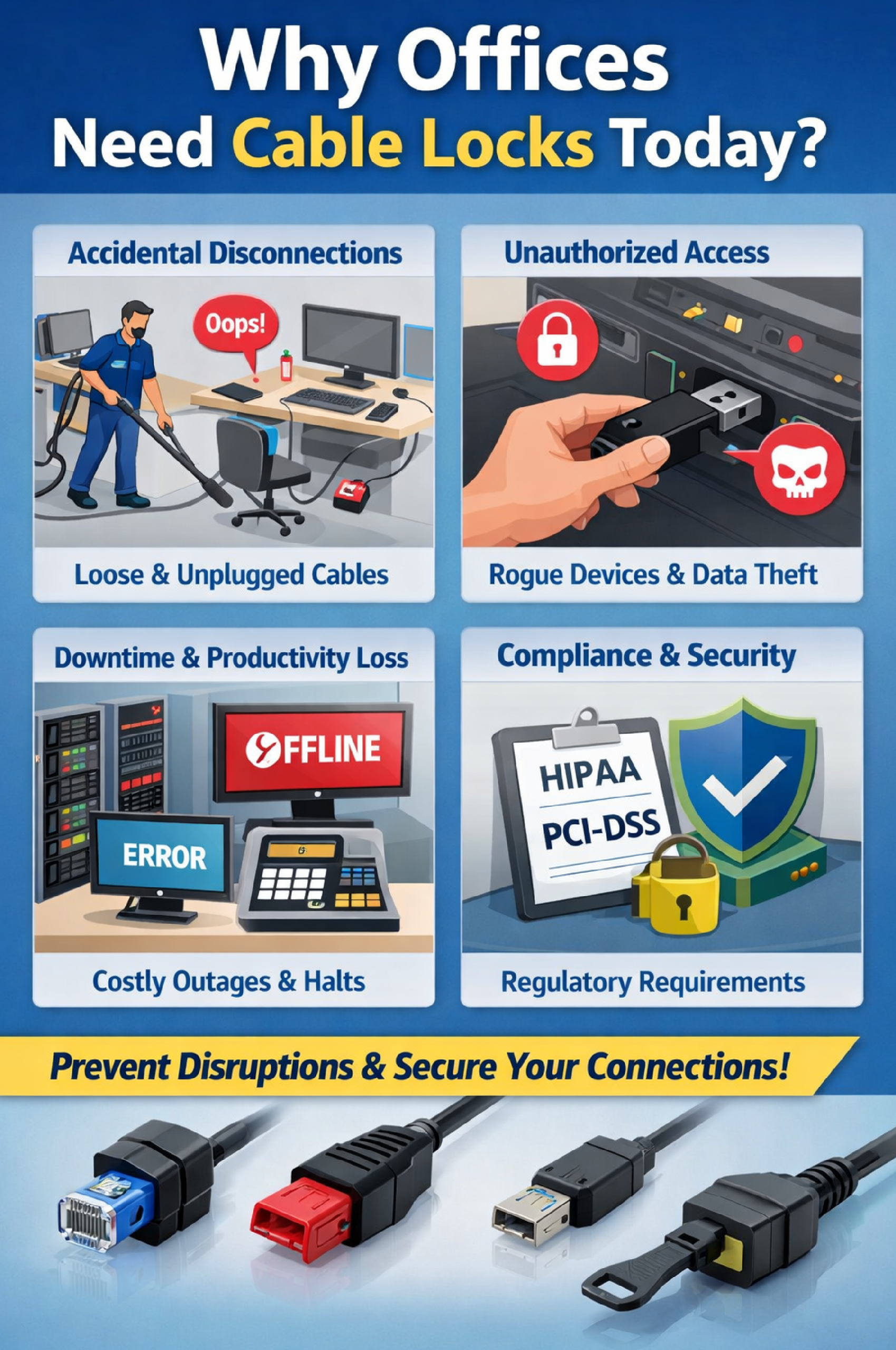
One unplugged Ethernet cord.
One loose power connection.
One unauthorized USB device.
That’s all it takes to bring the work to a halt, cause a loss of productivity, or risk the leakage of sensitive information.
In the meantime, companies have been putting a lot of effort and money into cybersecurity; however, physical connections remain the least protected, and thus, they have become the most vulnerable to accidents and tampering.
Simple cable locking devices can solve the problem.
Such small, handy devices are designed to lock network, power, and USB ports, which consequently helps to avoid the problems of disconnections, unauthorized access, and costly interruptions, thus providing an additional and vital layer of security to the daily working environment.
What Are Cable Lock Devices?
Cable locks are compact physical security tools aimed at preventing network, power, and data ports from being unplugged, removed, or tampered with.
They are fixed to connectors or ports like Ethernet, power cords, USB, or fiber, and can only be opened with a special key or tool. This helps in avoiding accidental disconnections, unauthorized use, and alteration.
Easy to set up and affordable, cable locks provide a simple additional layer of physical security, which is instrumental in keeping essential systems safe and running smoothly without any hiccups.
Types of Cable Lock Devices
Different ports serve different purposes, and each has its own disadvantages. For instance, a simple unplugging of the power cord can turn off the whole system, whereas leaving a USB port open can lead to sensitive data being stolen within seconds. This is why cable lock devices are made in various forms, with each one able to secure a certain type of connection.
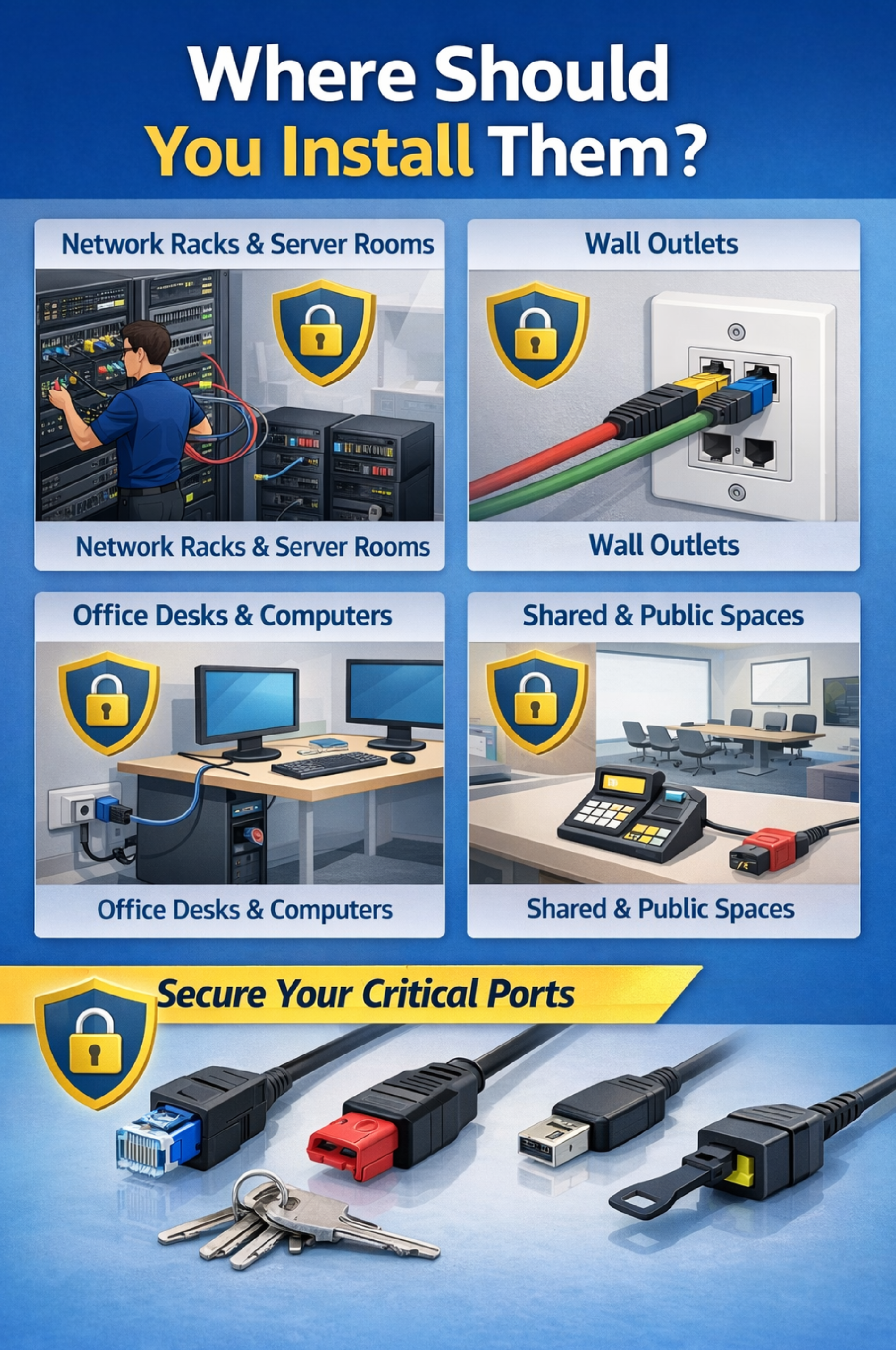
- RJ45 / Ethernet Port Locks: Any office network’s foundation is made up of Ethernet connections. Almost all devices, including printers, switches, IP phones, and desktop computers, depend on LAN cables to remain connected. These ports are extremely susceptible to both unintentional and deliberate interference because they are frequently used and frequently situated in public or shared spaces.
RJ45 port locks secure the cable plug in place or completely block the port. Without a specialized removal tool or key, the cable cannot be unplugged or replaced once it is installed.
This keeps unwanted devices from connecting to the network and aids IT teams in maintaining consistent connectivity.
Common use cases:
- Network switches and patch panels
- Wall outlets in shared spaces
- Conference rooms and training labs
- Public-facing workstations
Key benefits:
- Prevents accidental disconnections
- Blocks rogue device access
- Reduces troubleshooting time
- Improves overall network reliability
- Power Cable Locks: Power interruptions are one of the most costly and disruptive issues in IT environments. Even a brief disconnection can shut down servers, corrupt files, interrupt transactions, or cause equipment damage.
Power cable locks are designed to secure the connector to the device or power inlet firmly. They act as retention mechanisms, preventing cables from slipping out due to vibration, cleaning, or human error. Some designs clip onto both the plug and socket, while others use locking sleeves or brackets. By ensuring a consistent power supply, these locks protect both uptime and business continuity.
Common use cases:
- Server racks and data centers
- Workstations and critical desktops
- Retail POS systems
- Medical and laboratory equipment
Key benefits:
- Prevents unexpected shutdowns
- Protects against data loss
- Improves operational stability
- Reduces costly downtime
- USB Port Blockers: Despite their small size, USB ports pose a serious security risk. In a matter of seconds, unauthorized USB drives can introduce malware into secure systems or copy sensitive data. Leaving ports open can also pose a risk to compliance in many regulated industries.
Compact inserts called USB port blockers are used to seal unused USB ports. They require a special unlocking tool to be removed once installed. This guarantees that only approved devices can be linked.
USB blockers offer a straightforward and incredibly powerful defense for companies worried about insider threats or unintentional misuse.
Common use cases:
- Corporate offices
- Government and defense systems
- Healthcare facilities
- Schools, libraries, and kiosks
- Shared or public computers
Key benefits:
- Prevents data theft
- Blocks malware entry points
- Supports compliance requirements
- Enhances endpoint security
- Fiber / SFP Port Locks: Fiber optic and SFP connections typically support core infrastructure where reliability is critical. These links often handle high-speed data transfer between servers, switches, and backbone networks. Even a momentary disruption can affect multiple users or entire departments.
Fiber/SFP locks secure these delicate connections in place, preventing accidental removal during maintenance or cable management. They also discourage unauthorized tampering in sensitive environments.
Because fiber connections are often costly and complex to troubleshoot, securing them proactively can save significant time and expense.
Common use cases:
- Data centers
- Telecom rooms
- Enterprise backbone networks
- High-availability environments
Key benefits:
- Maintains continuous connectivity
- Protects mission-critical links
- Prevents costly outages
- Reduces maintenance risks
- Universal or Combination Lock Systems: Some organizations prefer standardized locking systems that use a single key or tool across multiple lock types. These universal systems allow IT teams to secure Ethernet, USB, and other ports while simplifying management.
This approach is particularly useful in large deployments where consistency, scalability, and quick maintenance access are important.
Key benefits:
- Simplified key management
- Faster installation and removal
- Easier scaling across multiple locations
- Consistent security standards
Common Myths About Cable Locks
Despite being straightforward and efficient, cable lock devices are often disregarded by organizations due to a few widespread misconceptions. Let’s take a brief look at reality.
Myth: “They’re only for data centers.”
Reality: Unintentional unplugging or tampering can occur in any office with network or power cables, not just server rooms.
Myth: “They’re hard to install.”
Reality: The majority of locks are plug-and-play, and using a tool to secure or remove them only takes a few seconds.
Myth: “They slow maintenance.”
Reality: Authorized staff can unlock them easily, and they actually reduce emergency fixes by preventing issues in the first place.
Myth: “Cybersecurity tools are enough.”
Reality: Firewalls can’t stop someone from unplugging cables or inserting a rogue USB. Physical risks need physical protection.
Myth: “Small offices don’t need them.”
Reality: Even one disconnected cable can disrupt an entire team.
Cable locks are a small, low-cost step that prevents big, avoidable problems.
Even the slightest disruption can have a significant effect in today’s networked workplaces. Unplugged power cords can result in downtime, a loose Ethernet cable can stop operations, and an open USB port can reveal private information. However, these dangers are frequently the most manageable.
Adding a robust layer of physical security to your network and power infrastructure is easy and reasonably priced with cable lock devices. Without adding complexity for IT teams, they help maintain the uptime that modern businesses rely on, prevent accidents, and block unauthorized access.
Because when it comes to protecting your systems, sometimes the smartest solution isn’t complicated; it’s preventative.
Looking for a reliable way to protect your network, power, and USB connections? SmartKeeper’s enterprise-grade cable and port lock solutions are designed to safeguard critical infrastructure, prevent tampering, and keep your operations running smoothly.
Secure Your Ports with SmartKeeper!
[/fusion_text][/fusion_builder_column][/fusion_builder_row][/fusion_builder_container]